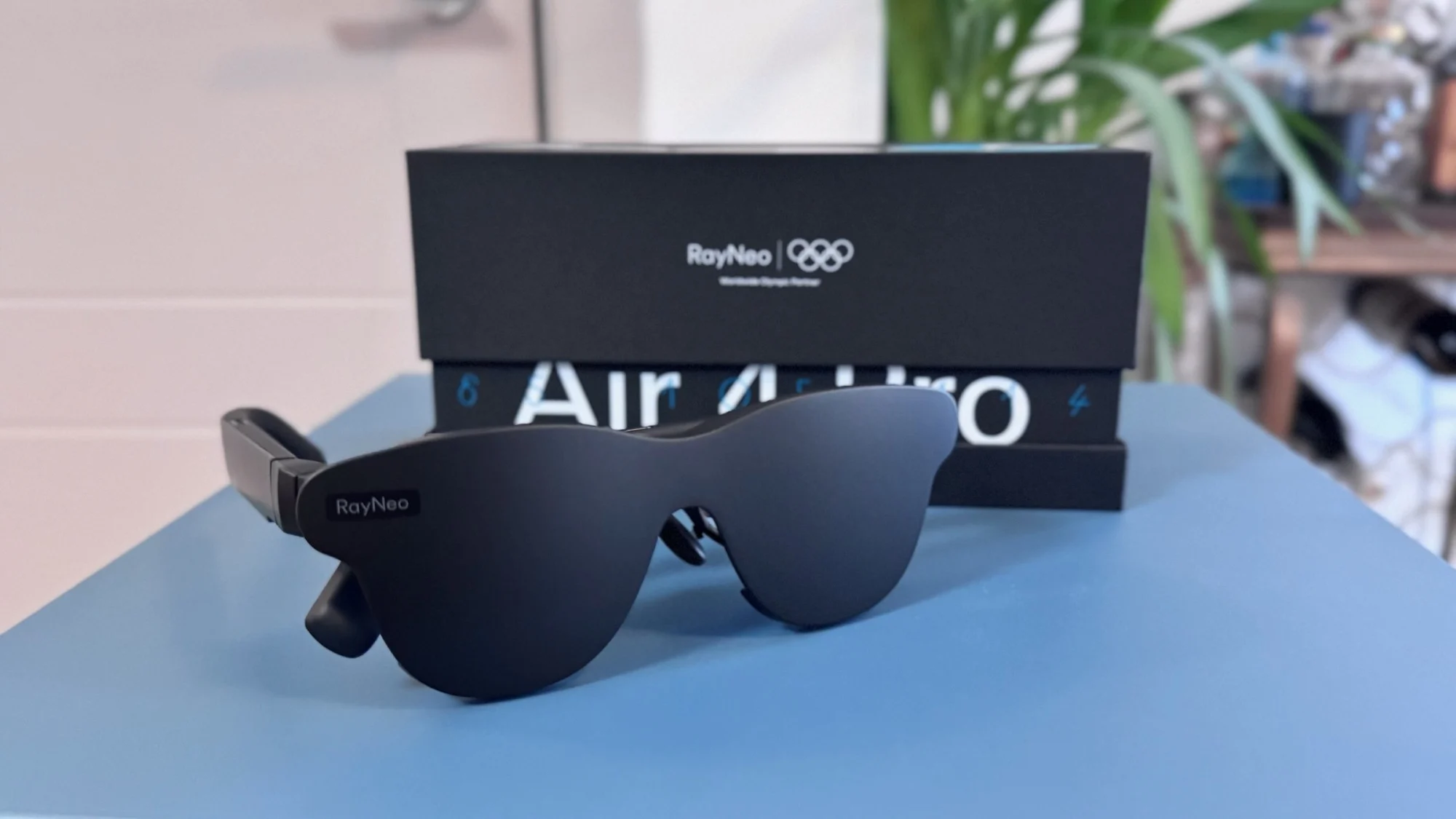
I replaced my 27-inch gaming monitor with a pair of AR glasses for a full week. Every session — from open-world exploration to competitive shooters — went through a 76-gram wearable display instead of the IPS panel bolted to my desk. It started as a curiosity test. It turned into a more interesting conversation about where gaming displays are actually headed.
The RayNeo Air 4 Pro, which drew positive CES 2026 hands-on coverage for its HDR10 support and aggressive pricing, launched at $299 MSRP and promises a 201-inch perceived virtual screen. Here is how it held up against a traditional gaming monitor as one of this year’s best AR glasses for gaming contenders.
Why Gamers Are Looking Beyond Their Desks
Handheld gaming consoles are surging. The Steam Deck, ROG Ally, and Legion Go have proven that high-quality games no longer require a desk and a tower PC. But their built-in screens — typically around seven inches — limit the immersion that visually intensive titles demand. That has fueled growing interest in AR glasses for gaming.
Wearable displays offer a potential answer. Instead of hauling a portable monitor, you plug in a pair of glasses and get a virtual screen that simulates something far larger. The technology has matured enough — with micro-OLED panels, HDR support, and high refresh rates — to warrant a proper test.
The RayNeo Air 4 Pro launched in January 2026 at a price that overlaps with many 27-inch QHD gaming monitors. It targets gamers who want immersive AR glasses for gaming without dedicating desk space. But can the hardware actually justify that pitch? That is what I set out to answer.
The Hardware at a Glance
Before impressions, here are the raw numbers. The RayNeo Air 4 Pro is a USB-C wearable with dual micro-OLED screens. The baseline comparison is a typical mid-range 27-inch IPS gaming panel in the $250–$400 range.
| Spec | RayNeo Air 4 Pro | 27″ Gaming Monitor (Typical) |
|---|---|---|
| Display Type | Dual 0.6″ micro-OLED | IPS / VA panel |
| Resolution | 1920 × 1080 per eye | 2560 × 1440 |
| Refresh Rate | 60–120 Hz | 144–165 Hz |
| HDR | HDR10 support (source-dependent) | HDR10 / HDR400 (varies by model) |
| Peak Brightness | 1,200 nits | 300–400 nits |
| Color Gamut | 98% DCI-P3 | sRGB 99% (typical IPS) |
| Weight / Size | 76 g (wearable) | ~5 kg + desk space |
| Price | $299 MSRP | $250–$400 |
On paper, the monitor wins on resolution and peak refresh rate. But raw specs do not tell the full story — perceived brightness, color richness, and portability shift the equation in ways that spreadsheets alone cannot capture.
Display Quality and HDR in Practice
The display is where the RayNeo Air 4 Pro puts up its most interesting fight against a traditional monitor. For anyone evaluating AR glasses for gaming, the dual micro-OLED panels project a perceived virtual screen equivalent to 201 inches at a six-meter viewing distance — not a physical screen, but a simulated field of view. In a darkened room, the effect is convincing.
Brightness and Color Accuracy
Peak brightness hits 1,200 nits, and the difference is immediately visible. Mashable’s hands-on coverage described the display as “almost too bright,” and my experience matched that — colors carry a vividness that most mid-range desktop panels struggle to reproduce. RayNeo positions the Air 4 Pro as the first consumer AR glasses with HDR10 support, though the effect depends on compatible source material and output devices.
Refresh Rate and Gaming Smoothness
At 120Hz, gameplay stayed fluid — Cyberpunk 2077 on a Lenovo Legion Go S and Fortnite streamed via cloud on a MacBook both ran without perceptible stutter from the glasses. Competitive players used to 165Hz monitors may notice the difference, but for most genres the gap is negligible — a strong showing for a wearable display targeting gaming use.
Where the Monitor Still Has an Edge
Resolution is the clearest trade-off. The Air 4 Pro runs at 1080p per eye, while even budget monitors now ship at 1440p. In games with dense UI overlays or small text, the lower pixel count becomes noticeable. Gizmodo’s review similarly noted occasional blurriness toward the edges of the virtual display.
Audio and Wearability
A display is only half the equation. I also evaluated the Air 4 Pro on sound quality and physical comfort — two factors that determine whether AR glasses for gaming are a novelty or a genuine daily-use tool.
Four Speakers Tuned by Bang & Olufsen
The Air 4 Pro carries four speakers co-tuned with Bang & Olufsen. Bass has noticeably more presence than earlier RayNeo models, and directional audio keeps sound close to the wearer. Gizmodo’s review described the audio as “full and immersive despite the compact form factor.” A whisper mode with phase-cancelling acoustics reduces leakage in quieter environments.
Comfort During Extended Sessions
At 76 grams with a 46.7:53.3 front-to-back weight balance, the glasses sit lighter than most people expect. My two-hour sessions were manageable. Gizmodo did flag nose-pad comfort as a potential issue depending on face shape. RayNeo includes two nose-pad sizes in the box and offers a nine-level temple adjustment; Gizmodo noted three snap positions on the arms.
What Can You Actually Play On?
One often-overlooked advantage of wearable displays over a fixed monitor is platform flexibility. The Air 4 Pro connects through USB-C with DisplayPort output, meaning any compatible device becomes the display source. I tested it across handhelds, laptops, and phones.
Handheld Consoles
The clearest use case for gaming AR glasses landed here. RayNeo’s compatibility page lists the following handhelds:
- Steam Deck / Steam Deck OLED
- ROG Ally / ROG Ally X
- Legion Go / Legion Go S
- Acer Nitro Blaze 7 / 8 / 11
For devices with USB-C DisplayPort Alt Mode, setup was genuinely plug-and-play — no adapters or drivers needed. Note that not all consoles work this way; the Switch 2, for example, requires a third-party dock. For handheld owners shopping for AR glasses for gaming on the go, compatibility is worth checking before buying.
PCs and Laptops
Connecting to a MacBook Pro or a Windows laptop via USB-C was equally seamless. I used the Air 4 Pro as a secondary screen for regular workstation tasks and found it functional, though not ideal for extended productivity. Gizmodo’s testing noted some blurriness with the Mirror Studio dual-screen feature on Windows, which suggests the software side still needs refinement.
Battery and Power Considerations
The Air 4 Pro has no internal battery and draws power from the connected device. Gizmodo measured roughly 4% battery drain every ten minutes on an iPhone 17 at full brightness and 120Hz. For longer sessions with AR glasses for gaming on a handheld, pairing with an external battery pack is practically essential.
Who Benefits From AR Glasses for Gaming?
The answer depends entirely on how and where you play. The Air 4 Pro is not designed to replace every desktop monitor — it fills a different gap. Here are the profiles that benefit most and the ones that should stick with a panel.

Ideal Candidates
- Gamers who travel frequently and want a large virtual screen in hotels or on flights
- Players with limited desk or living space who cannot accommodate a dedicated monitor
- Handheld console owners looking for a portable big-screen upgrade with HDR
For these users, the RayNeo Air 4 Pro deserves a close look alongside other best AR glasses for gaming options like the Xreal 1S and Rokid AR Lite — with its HDR10 support, B&O-tuned audio, and broad handheld compatibility at a $299 MSRP.
When a Monitor Is Still the Better Call
- Competitive esports players who need 165Hz+ and the lowest possible input latency
- Resolution-focused gamers targeting 1440p or 4K visual fidelity
- Couch co-op or local multiplayer setups where a shared screen is essential
AR glasses for gaming are not a universal replacement. They are a category expansion — adding a use case that traditional monitors fundamentally cannot serve.
Final Take
The RayNeo Air 4 Pro does not replace the gaming monitor. It occupies a space monitors cannot reach. For gamers who value portability alongside picture quality, AR glasses for gaming are now a credible option — and the Air 4 Pro, at $299 MSRP, makes a reasonable entry point.